

One of the most common questions we get at BloodyCase is: “What launch options do pros like donk or ZywOo use?” The honest answer surprises most people. Unlike CS:GO, Counter-Strike 2 runs on the Source 2 engine, so almost every option now lives inside the in-game menu – and many iconic CS:GO commands simply do nothing anymore.
![Funny [YELLOW] Case case cs go](https://rs.bloodycase.com/?url=cdn.bloodycase.com/cases/1475894062878822400.webp&w=370&h=336&output=webp&q=100)
![Funny [RED] Case case cs go](https://rs.bloodycase.com/?url=cdn.bloodycase.com/cases/1475893882817351680.webp&w=370&h=336&output=webp&q=100)
![Funny [PURPLE] Case case cs go](https://rs.bloodycase.com/?url=cdn.bloodycase.com/cases/1475893755763494912.webp&w=370&h=336&output=webp&q=100)
![Funny [BLUE] Case case cs go](https://rs.bloodycase.com/?url=cdn.bloodycase.com/cases/1475894282886844416.webp&w=370&h=336&output=webp&q=100)
![Funny [GREEN] Case case cs go](https://rs.bloodycase.com/?url=cdn.bloodycase.com/cases/1475894570033090560.webp&w=370&h=336&output=webp&q=100)
This guide gets straight to the point, no fluff: the launch options that actually work in 2026, the ones that are dead, the commands that boost FPS, and the real cs2 pro player settings used by donk, ZywOo, m0NESY, s1mple and ropz.
What are launch options and where do you set them?
Launch options are commands Steam applies BEFORE the game starts. They force fullscreen, resolution, monitor refresh rate or the FPS cap. To add them:
- Open Steam → Library
- Right-click Counter-Strike 2 → Properties
- Go to the General tab → Launch Options field
- Type everything on a single line, each command separated by a space. Steam saves automatically.
Example: -console -fullscreen +fps_max 0
We’ve Compiled Some Pro player settings
Now the part everyone wants. These are the real cs2 pro settings worth studying – and notice how different they are from each other. There is no single “correct” config; the only rule is optimization and comfort. (Launch-options note: almost none of them rely on launch options anymore.)
donk (Team Spirit)
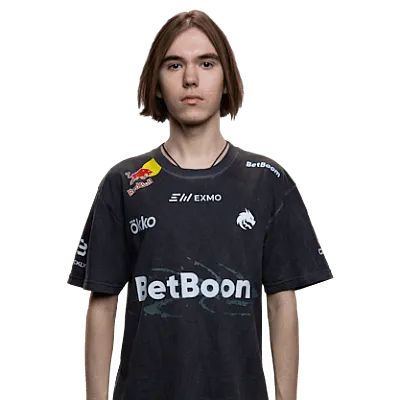
800 DPI × 1.25 sens (1000 eDPI), 1280×960 4:3 stretched, graphics on Low with Shadows High, FPS capped at 600 on a 600 Hz Zowie. viewmodel_fov 68, presetpos 2. Launch options: none at all – yet world number one.
- Mouse: 800 DPI, 1.25 sens, 1000 eDPI, zoom 1, 1000 Hz, Windows 4/11
- Crosshair code: CSGO-SjKEt-tcrfL-SxbjY-bBFQ4-C8XXC
- Viewmodel: fov 68; off_x 2.5; off_y 0; off_z -1.5; presetpos 2
- Video: 1280×960, 4:3 stretched, brightness 65%, V-Sync off, NVIDIA Reflex off, FPS cap 600
- Graphics: 8x MSAA, Global Shadows High, Model/Texture Low, Shader Low, Particle Low, Ambient Occlusion off, Bilinear filtering, Boost Player Contrast on
- Radar: rotating, centered on player, map zoom 0.7
- Gear: ZOWIE XL2586X+ · ZOWIE x donk Mouse (Unreleased) · Wooting 80HE Frost · HyperX Cloud II
ZywOo (Vitality)
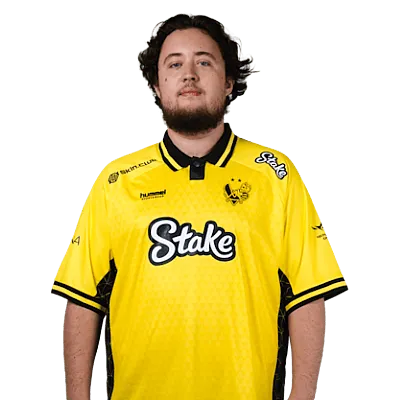
400 DPI × 2.00 sens (800 eDPI), zoom 0.80, 1280×960 4:3 stretched (sometimes 1024×768). Runs higher Shader Detail than most pros, NVIDIA Reflex on, FPS cap 400. viewmodel_fov 68, presetpos 1, viewmodel_recoil 1. Launch options: minimal.
- Mouse: 400 DPI, 2.0 sens, 800 eDPI, zoom 1, 1000 Hz
- Crosshair code: CSGO-KDOkV-jUpoE-GdhAh-YzbZL-MYXTB
- Viewmodel: fov 68; off_x 2.5; off_y 0; off_z -1.5; presetpos 1
- Video: 1280×960, 4:3 stretched, brightness 83%, V-Sync off, NVIDIA Reflex on, FPS cap 400
- Graphics: 4x MSAA, Global Shadows High, Model/Texture High, Shader High, Particle High, Ambient Occlusion Medium, Anisotropic 4x filtering, Boost Player Contrast on
- Radar: rotating, centered on player, map zoom 0.4
- Gear: ZOWIE XL2586X+ · Pulsar ZywOo The Chosen Mouse Gen.2 · ASUS ROG Falchion Ace HFX ZywOo Edition · SteelSeries Arctis Nova Pro
m0NESY (Falcons)
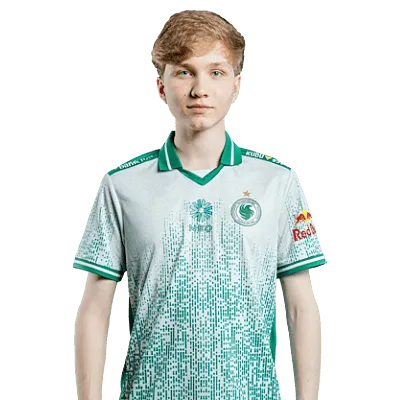
400 DPI, ~800 eDPI, 1280×960 4:3 stretched. The oddball – he runs 8x MSAA and NVIDIA Reflex disabled where most pros do the opposite. Detail Low, Shadows High. viewmodel_fov 68, presetpos 2. Launch options: minimal / none.
- Mouse: 400 DPI, 2.0 sens, 800 eDPI, zoom 1, 2000 Hz
- Crosshair code: CSGO-j5PN3-m5jw8-avYUO-YEDRy-8bBAA
- Viewmodel: fov 68; off_x 2.5; off_y 0; off_z -1.5; presetpos 2
- Video: 1280×960, 4:3 stretched, brightness 100%, V-Sync off, NVIDIA Reflex off, FPS cap 999
- Graphics: 8x MSAA, Global Shadows High, Model/Texture Low, Shader Low, Particle Low, Ambient Occlusion off, Bilinear filtering, Boost Player Contrast on
- Radar: rotating, centered on player, map zoom 0.7
- Gear: ZOWIE XL2586X+ · Logitech G Pro X Superlight 2 White · Logitech G Pro X2 RAPID White (Unreleased) · Logitech G PRO X 2 Headset Black
s1mple
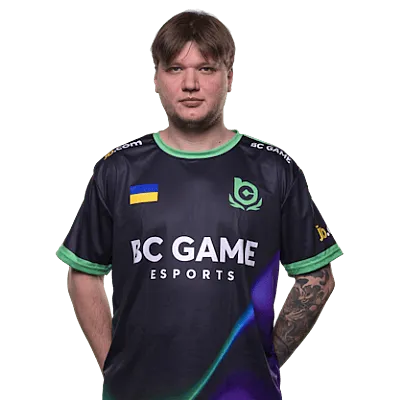
400 DPI × 3.09 sens (1236 eDPI – the highest here), 1280×960 4:3 stretched, brightness ~130%, everything minimal except Shadows High, Boost Player Contrast off. Launch options: a small set like -console -freq 360 +fps_max <high>.
- Mouse: 400 DPI, 3.09 sens, 1236 eDPI, zoom 1, 1000 Hz
- Crosshair code: CSGO-UseJt-3oTvn-47wPX-hEyER-WZfiK
- Viewmodel: fov 68; off_x 2.5; off_y 0; off_z -1.5; presetpos 2
- Video: 1280×960, 4:3 stretched, brightness 80%, V-Sync off, NVIDIA Reflex off, FPS cap uncapped
- Graphics: 8x MSAA, Global Shadows High, Model/Texture Low, Shader Low, Particle Low, Ambient Occlusion off, Bilinear filtering, Boost Player Contrast off
- Radar: rotating, centered on player, map zoom 0.45
- Gear: ZOWIE XL2586X+ · Logitech G Pro X Superlight 2 Cyan · Logitech G Pro X TKL Keyboard Black (GX Brown Tactile) · SteelSeries Arctis Nova Pro Wireless
ropz (Vitality)

400 DPI × 1.77 sens (708 eDPI – the lowest here), and the one who breaks the mold with 1920×1080 native 16:9. 2x MSAA, most detail Low, Ambient Occlusion High, 2000 Hz mouse polling. viewmodel_fov 68, presetpos 2. Proof that native resolution still wins at the top.
- Mouse: 400 DPI, 1.77 sens, 708 eDPI, zoom 1, 2000 Hz
- Crosshair code: CSGO-nCfX7-54ue9-aC5eV-6Womf-Q6izO
- Viewmodel: fov 68; off_x 2.5; off_y 0; off_z -1.5; presetpos 2
- Video: 1920×1080, 16:9 native, brightness 50%, V-Sync off, NVIDIA Reflex on, FPS cap 999
- Graphics: 2x MSAA, Global Shadows Low, Model/Texture Low, Shader Low, Particle Low, Ambient Occlusion Medium, Bilinear filtering, Boost Player Contrast on
- Radar: rotating, centered on player, map zoom 0.65
- Gear: ZOWIE XL2586X+ · Razer DeathAdder V3 HyperSpeed · ASUS ROG Falchion Ace 75 HE White · SteelSeries Arctis Nova Pro Wireless
sh1ro (Team Spirit)
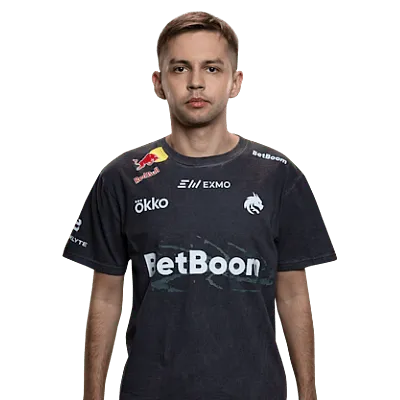
800 DPI × 1.04 sens (832 eDPI), 1280×960 4:3 stretched. The AWP anchor who, like ZywOo, runs unusually high detail – Model, Shader and Particle all High, Shadows High, 4x MSAA, Boost Player Contrast on, brightness 80%. FPS cap 500. viewmodel_fov 65 – a notch below the usual 68 – presetpos 1.
- Mouse: 800 DPI, 1.04 sens, 832 eDPI, zoom 1, 1000 Hz
- Crosshair code: CSGO-bk5KR-52jw7-tKRaw-7kzdw-hOxoO
- Viewmodel: fov 65; off_x 2.5; off_y 2; off_z -2; presetpos 1
- Video: 1280×960, 4:3 stretched, brightness 80%, V-Sync off, NVIDIA Reflex off, FPS cap 500
- Graphics: 4x MSAA, Global Shadows High, Model/Texture High, Shader High, Particle High, Ambient Occlusion Medium, Anisotropic 2x filtering, Boost Player Contrast on
- Radar: rotating, centered on player, map zoom 0.4
- Gear: ZOWIE XL2586X+ · Logitech G Pro X2 SUPERSTRIKE · Logitech G Pro X TKL RAPID White · HyperX Cloud II
kyousuke (Falcons)
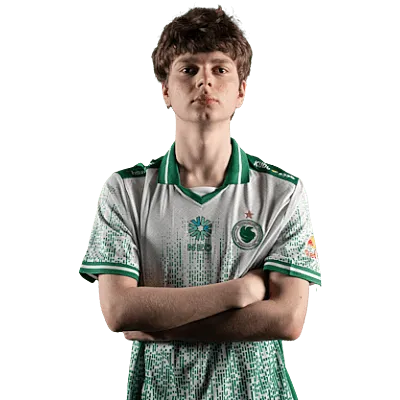
800 DPI × 1.28 sens (1024 eDPI), 1280×960 4:3 stretched. Born in 2008 and already a starter, he keeps it barebones: everything Low, 8x MSAA, Ambient Occlusion off, Boost Player Contrast off, brightness cranked to 110%. FPS cap 500. viewmodel_fov 68, presetpos 1.
- Mouse: 800 DPI, 1.28 sens, 1024 eDPI, zoom 1, 1000 Hz
- Crosshair code: CSGO-VJR9q-iQQjx-4ijrv-CzAAM-SYVvD
- Viewmodel: fov 68; off_x 2.5; off_y 0; off_z -1.5; presetpos 1
- Video: 1280×960, 4:3 stretched, brightness 100%, V-Sync off, NVIDIA Reflex off, FPS cap 500
- Graphics: 8x MSAA, Global Shadows Low, Model/Texture Low, Shader Low, Particle Low, Ambient Occlusion off, Bilinear filtering, Boost Player Contrast off
- Radar: rotating, centered on player, map zoom 0.7
- Gear: ZOWIE XL2586X+ · Logitech G Pro X Superlight 2 Black · Wooting 80HE Frost · HyperX Cloud II
NiKo (Falcons)
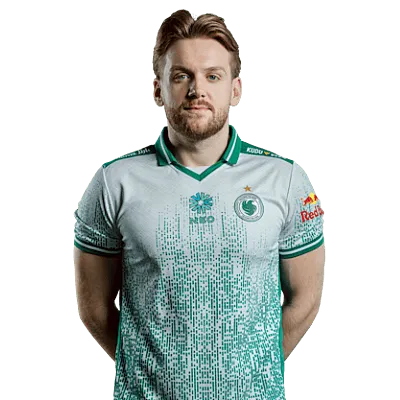
800 DPI × 0.9 sens (720 eDPI), 1280×960 4:3 stretched. The rifle legend sits on one of the lower eDPIs here with a 2000 Hz polling rate. Shadows High, everything else Low, 8x MSAA, brightness 83%. FPS cap 400. viewmodel_fov 68, presetpos 2.
- Mouse: 800 DPI, 0.9 sens, 720 eDPI, zoom 0.9, 2000 Hz
- Crosshair code: CSGO-m89VO-6zPDr-53TJ9-OySAJ-V8Y2Q
- Viewmodel: fov 68; off_x 2.5; off_y 0; off_z -1.5; presetpos 2
- Video: 1280×960, 4:3 stretched, brightness 83%, V-Sync off, NVIDIA Reflex off, FPS cap 400
- Graphics: 8x MSAA, Global Shadows High, Model/Texture Low, Shader Low, Particle Low, Ambient Occlusion off, Trilinear filtering, Boost Player Contrast off
- Radar: rotating, centered on player, map zoom 0.35
- Gear: ZOWIE XL2586X+ · Razer DeathAdder V4 Pro NiKo Edition · Razer Huntsman V3 Pro TKL 8KHz NiKo Edition · Razer BlackShark V3 Pro NiKo Edition
frozen (FaZe Clan)
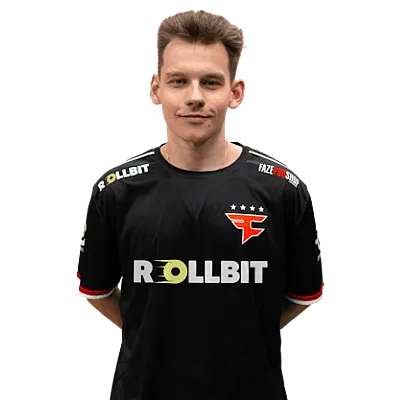
400 DPI × 2.0 sens (800 eDPI), 1280×960 4:3 stretched. Notable for a 4000 Hz mouse polling rate – the highest in this lineup – with NVIDIA Reflex on, Shadows High, Texture Detail Medium, Ambient Occlusion Medium and FPS uncapped. viewmodel_fov 68, presetpos 2.
- Mouse: 400 DPI, 2.0 sens, 800 eDPI, zoom 0.8, 4000 Hz
- Crosshair code: CSGO-fhT35-p4je7-fDqhM-U4xpR-TDhnL
- Viewmodel: fov 68; off_x 2.5; off_y 0; off_z -1.5; presetpos 2
- Video: 1280×960, 4:3 stretched, brightness 60%, V-Sync off, NVIDIA Reflex on, FPS cap uncapped
- Graphics: 4x MSAA, Global Shadows High, Model/Texture Medium, Shader Low, Particle Low, Ambient Occlusion Medium, Anisotropic 4x filtering, Boost Player Contrast on
- Radar: rotating, centered on player, map zoom 0.4
- Gear: ZOWIE XL2566K · Razer DeathAdder V4 Pro Black · Wooting 80HE Black · HyperX Cloud Alpha Wireless
b1t (Natus Vincere)
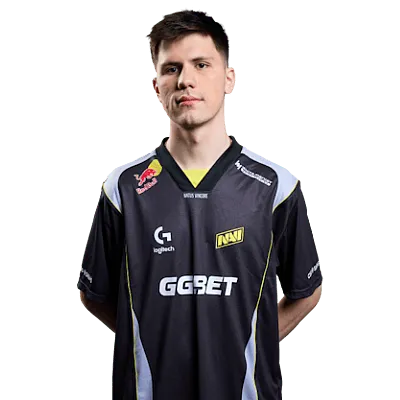
800 DPI × 0.825 sens (660 eDPI – the lowest in the whole lineup), 1280×960 4:3 stretched. Shadows High, Ambient Occlusion High, a tight radar zoom of 0.25 and an FPS cap of 400. viewmodel_fov 68, presetpos 1.
- Mouse: 800 DPI, 0.825 sens, 660 eDPI, zoom 1, 2000 Hz
- Crosshair code: CSGO-u2H9q-R3KDb-ijHuY-Bfizr-J9T8N
- Viewmodel: fov 68; off_x 2.5; off_y 0; off_z -1.5; presetpos 1
- Video: 1280×960, 4:3 stretched, brightness 70%, V-Sync off, NVIDIA Reflex off, FPS cap 400
- Graphics: 8x MSAA, Global Shadows High, Model/Texture Low, Shader Low, Particle Low, Ambient Occlusion High, Bilinear filtering, Boost Player Contrast on
- Radar: rotating, centered on player, map zoom 0.25
- Gear: ZOWIE XL2566K · Logitech G Pro X Superlight 2 Cyan · Logitech G Pro X TKL Keyboard Black · Logitech G PRO X 2 Headset Magenta
Takeaway: eDPI ranges from 660 (b1t) to 1236 (s1mple), and resolution from stretched 4:3 to native 16:9. Copy any of these as a starting point, then adjust to your own feel – blindly cloning a config rarely works.
The launch options that actually work in CS2 & Used by Pros
Here is the short, clean, effective list. For 99% of players, this is more than enough:
- -console – opens the console on startup
- -fullscreen – forces fullscreen (lowest input lag, recommended)
- -w 1280 -h 960 – forces the resolution you want
- -refresh 240 – forces your monitor refresh rate (use yours: 144, 240, 360…)
- +fps_max 0 – removes the FPS cap
- -nojoy – disables joystick support and frees up a little RAM
- -language english – forces the interface language
Recommended set, simple and stable: -console -fullscreen +fps_max 0
The CS:GO commands that NO LONGER work
Plenty of old guides keep copying commands that are now useless. Forget these for good in CS2:
- -tickrate 128 – CS2 uses sub-tick, so this command does nothing
- -novid – the Valve intro is gone, so there is nothing left to skip
- -threads – can cause instability; the engine handles its own threading
- -d3d9ex – CS2 runs on DirectX 11, not DirectX 9
- +cl_interp / +cl_cmdrate / +cl_updaterate – networking is handled differently now, no need to touch them
Commands to gain FPS
On a modest PC, these few commands can stabilize your frame rate (at the cost of a little visual quality):
- +fps_max 0 – lets the machine push as high as it can
- -softparticlesdefaultoff – disables soft-particle blending (small gain)
- +r_dynamic 0 – turns off dynamic lighting
- +mat_disable_fancy_blending 1 – lightens texture rendering
- -high – high CPU priority. Warning: can cause micro-freezes on some rigs, so test it.
Beyond the launch line: the settings that really decide games
Resolution
9 out of 10 pros play on 4:3 stretched, most commonly 1280×960 (donk, s1mple, m0NESY). ropz is the famous exception on native 1920×1080 16:9. The cs2 pro players resolution settings favor stretch because it makes enemy models wider (easier to hit) and pushes FPS higher – at the cost of a narrower field of view.
Video settings
The pro cs2 video settings aim at one thing: smoothness. Fullscreen, V-Sync off, Motion Blur off, NVIDIA Reflex enabled (though m0NESY notably disables it), and brightness cranked up (90–130%). The goal is maximum stable FPS with the least possible input lag.
Graphics settings
For detail, the cs2 pro graphics settings are nearly all on minimum: Shader Detail Low, Particle Detail Low, Model/Texture Detail Low. The one near-universal exception is Shadows (Global Shadow Quality) set to High, because they give a visual read on enemies. Boost Player Contrast is enabled for the majority.
Viewmodel
The most-copied cs2 pro viewmodel settings: viewmodel_fov 68 (the game’s maximum), viewmodel_offset_x 2.5, offset_y 0, offset_z -1.5. The presetpos varies by player (donk 2, ZywOo 1, ropz 2, m0NESY 2). ZywOo even enables viewmodel_recoil 1 to see the weapon’s recoil.
Radar
The cs2 pro radar settings are built to show the whole map at a glance. Typical values: cl_radar_rotate 1, cl_radar_square_with_scoreboard 1, and a tight map zoom around 0.4 (like ZywOo). Zoom is the real personal lever: the lower it is, the more map you see.
Audio
Often overlooked, the cs2 pro audio settings still win rounds. The pro baseline: headphones set to Stereo, Advanced 3D Audio Processing enabled, and an EQ profile of “Crisp” (pushes footsteps forward) or “Natural” (more comfortable, trending in 2026). L/R Isolation at 0% gives the most directional sound – the majority pro choice. Finally, mute the useless music: menu, MVP, round start and round end.
So, do launch options actually matter in CS2?
Honestly? Barely. donk is world number one with zero of them, and the rest of the elite run a handful at most. Keep a clean minimal line (-console -fullscreen +fps_max 0), copy a 4:3 stretched resolution (or ropz-style native 16:9 if you prefer vision), tune your audio, and put the saved time into aim practice. That combination – verified across the configs BloodyCase tracks – will do far more for your rank than any “secret” launch string.
FAQ
-console -fullscreen +fps_max 0 is enough for the vast majority of players. Add -refresh <your Hz> and -nojoy if you need them. No more than that.
4:3 stretched (often 1280×960, except ropz on native 1920×1080), graphics on minimum with Shadows High, viewmodel_fov 68, NVIDIA Reflex mostly enabled – and very few, if any, launch options.
viewmodel_fov 68, the maximum the game allows. CS2 has no world-FOV slider: this “FOV” refers to weapon position, and nearly every pro – donk, ZywOo, m0NESY, s1mple, ropz – runs 68.
+fps_max 0, -softparticlesdefaultoff, +r_dynamic 0, +mat_disable_fancy_blending 1, and -high (use with caution: remove it if you feel micro-freezes).

Ethan is the Chief Editor at BloodyCase. He has been playing Counter-Strike since the 1.6 era and started writing about the game almost by accident – at first, he posted analyses of updates and patches on forums, and he never stopped. He’s in charge of editorial content: he decides what to write about, checks the accuracy of articles before publication, and keeps track of how the game is changing to ensure that the information on BloodyCase is always up-to-date and interesting.
He’s still playing CS2 and annoying everyone with his AWP skills.